






STEP-AND-REPEAT
Repeat designs and elements across the substrate according to the job’s dimensions and requirements.


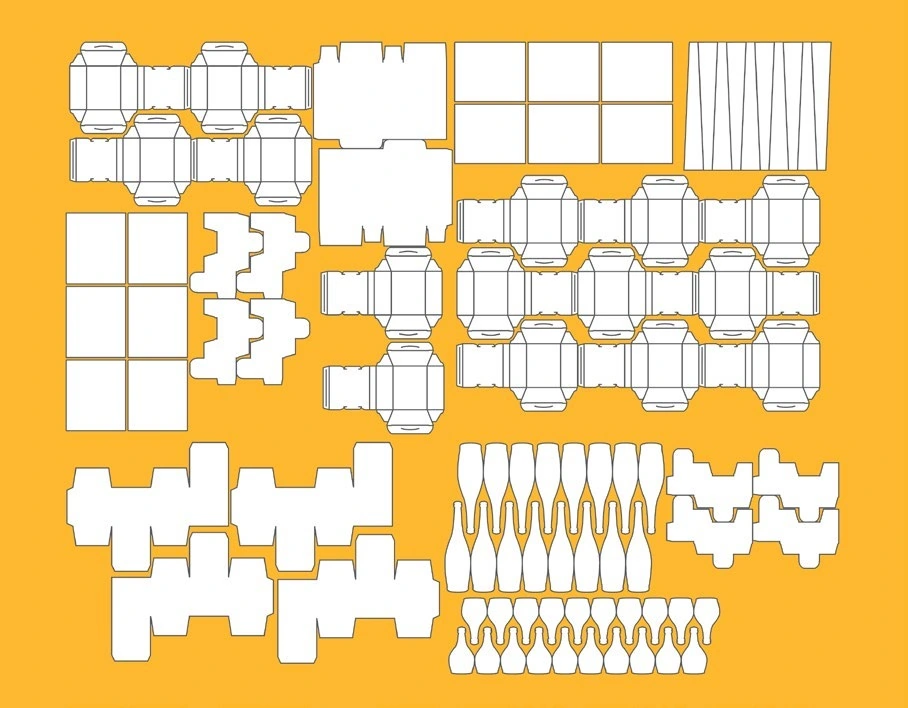
Arrange and repeat designs, marks and graphic elements to prepare accurate print layouts. KODAK PANDORA supports label and packaging job preparation.
EXPLORE THE SOLUTION
Arrange designs and marks on the press sheet to meet each job’s requirements with a clear, repeatable layout.
Repeat designs and elements across the substrate according to the job’s dimensions and requirements.
Organize designs and production marks to prepare the layout clearly.
Prepare files for different printing processes and workflows, depending on the installed configuration.
Available options depend on the version, license and workflow configuration.
PACKAGING AUTOMATION
KODAK Packaging Layout Automation (PLA) extends the packaging layout workflow by helping automate the arrangement of designs on press sheets and prepare layouts for production.
Availability and integration depend on the PANDORA and PLA versions and licenses configured for each operation.
PANDORA + PLA
We assess the package type, repeats, substrate and prepress requirements to determine the right workflow.
Not every process needs the same level of automation. The setup is validated against the job and installed systems.
FEATURES AND APPLICATIONS
Import CF2, DXF and DDES die files. Kodak CAD Correct provides tools to create and edit CF2 files.
Smart Marks adapts marks to artwork or layouts and allows groups to be saved for reuse. Ink Eater Marks uses available substrate space while avoiding artwork and die areas. Bleed editing helps resolve overlaps.
Generate PDF, JDF, PJTF or CIP3 PPF layouts according to the workflow. PLA can use MIS information and libraries combining marks, dies and artwork to automate repeat or similar jobs.
PLA is an automation option. Formats, modules and MIS connectivity are confirmed for each installation.
LUMILA · OVER 25 YEARS
We help review your prepress workflow, packaging requirements and the right setup for your team.
Explore videos and experiences ↗We review substrates, designs and production volumes.
We assess PANDORA and PLA options for your workflow.
Guidance through implementation and day-to-day use.
LET’S TALK ABOUT YOUR PRODUCTION
Let’s discuss PANDORA, PLA and your operation’s requirements.
Contact Lumila ↗